
vysoft RMS
The room management system that integrates seamlessly
Integrate all room, guest, and service provider management into a secure and scalable solution that offers everyone a great booking experience.


vysoft RMS supports you in organizing and arranging meetings. Through the reservation system, you can organize room occupancy, seating arrangements, technical equipment, or catering. The visitor management system informs the organizer and reception about expected guests and their status. The integrated digital door signs and foyer displays inform and guide your guests and employees.
Seamless Resource Booking with M365 / MS Teams
A demo speaks louder than a thousand words. Test our software for room, resource management, and meeting organization without obligation by quickly and easily gaining access to our information package or demo environment.
Our references





Your Benefits with vysoft RMS
Maximize Room Utilization, Reduce Costs
Avoid Conflicts, Reduce Effort
Inform Employees and Guests
Organize Catering and Technology
Book On-site or via Mobile
Seamless Resource Booking with M365 / MS Teams


Key Features of
Room Management
Graphical Occupancy Overview
Structured display of rooms and utilization - in a daily, weekly, monthly, or list view
Configurable Room Reservation
Structured booking form with configurable approval process
Multilingual
Standard German and English
Organization and Role-Specific Authorization Concept
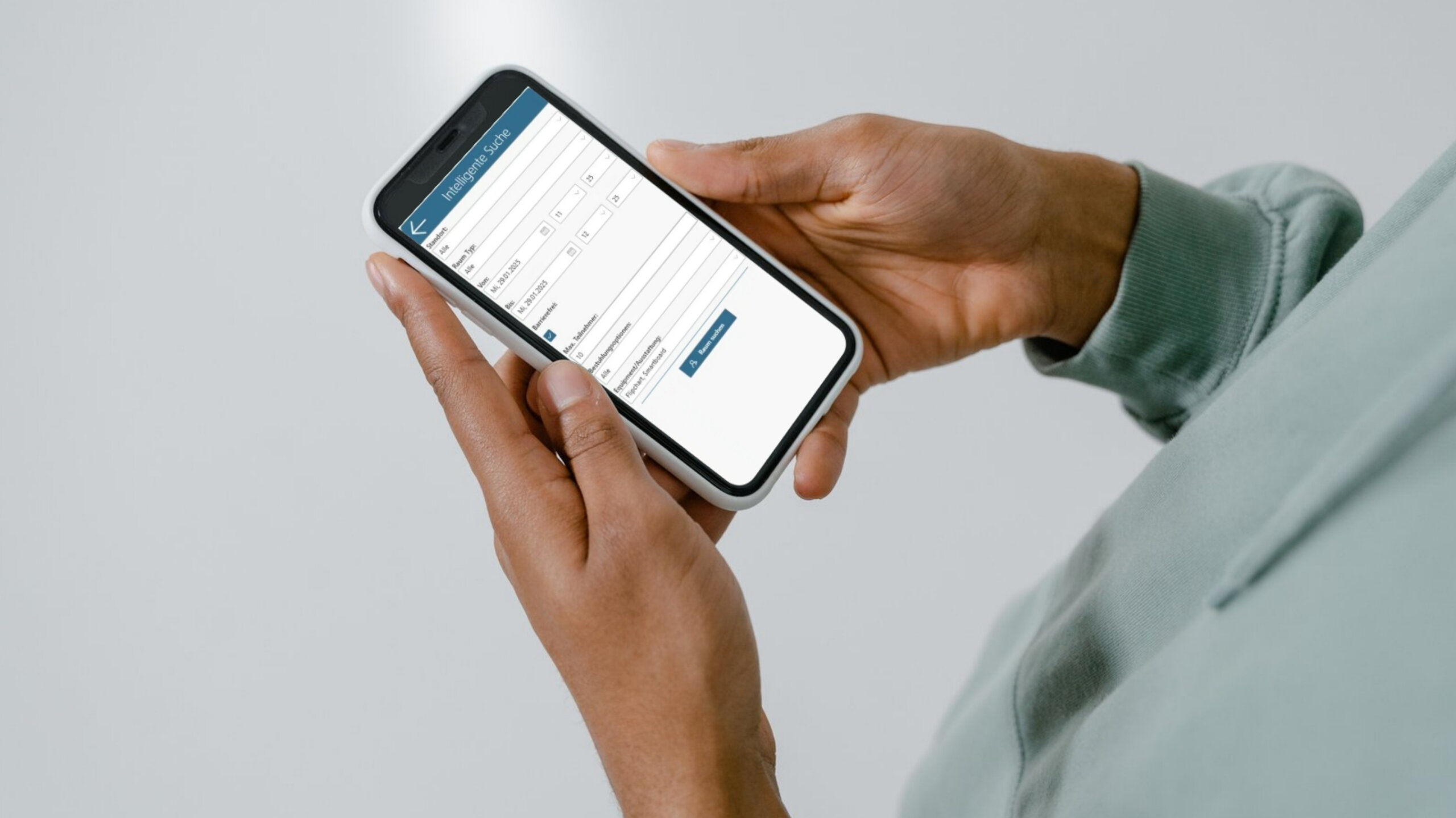
Intelligent Room Search
Using an input form, only rooms that meet specific criteria (e.g., capacity, seating, equipment options) and are available are selected
Recurring or Alternative Appointments
During booking, the room availability for individual appointments is clearly displayed
Room Combination
Rooms can be booked individually or in combination
Lead and Cancellation Periods
Configurable Lead/Cancellation Periods for Service Providers
Visitor Management
Arrange Invitations and Guest Reception
Extensive Evaluation Functionality
E.g., on utilization
Billing Functionality
Room Usage and/or Catering
Seating Management
With assignment function - e.g., including email function to room technical staff
Media and Technical Equipment
Easily Book Optional Equipment
Integrated Document Management
E.g., for filing an agenda
Automated Notification Functions
Via Email or Task List
iCalendar Invitations
Meeting participants receive an invitation in the standardized iCal data format (supported by all common mail clients)
Workflow & Task Management
Email Service
MS Outlook Integration
MS Office Integration
The application can be operated in the intranet or in the cloud
Single Sign-on
Connection to the corporate directory (Active Directory)
Flexible Hosting
The application can be operated in the intranet or in the cloud
Key Features of Our Software Solution
Book Rooms
Perform any type of room booking simply and efficiently. The calendar view includes a daily, weekly, monthly, or list view.
Intelligent Room Search
Based on specified criteria (e.g., room size, accessibility, seating, or equipment options), suitable and available rooms are listed
Create Recurring Appointments
Simply specify the period and repetitions, and the availability will be immediately visible
Configure Locations and Rooms
Configure any number of locations and rooms, including map view
Manage and Occupy Combined Rooms
Two or more rooms can be configured as a combined room. Booking a combined room takes into account the occupancy of its components and vice versa.
Invite Participants
Invite internal or external guests. Invitations are sent in the standardized iCalendar format, and participant status is traceable at any time.
Organize Catering
Organize guest catering, choose from several catering options. Communication with the caterer/canteen is automated.
Manage Technology
Order Seating or Optional Equipment
Set Up Video or Web Conferences
Send information on video or web conferences integrated within the invitation context
Define Room and Foyer Signage
Guide guests and employees. Our touch displays can do much more than just digital room signage. (Insert link to digital room signage)
Book Rooms via Mobile or Digital Door Sign
View reservations. Book new reservations using a mobile phone or directly via a digital door sign.
Open Doors
Open doors via RFID card or QR tag. In combination with our electronic door signs, anything is possible.
Check-in
Perform on-site registration for a meeting and thereby log actual utilization
Generate reports
Room utilization, costs per department, bookings within a period, etc., standardized or ad hoc
Mobile Views
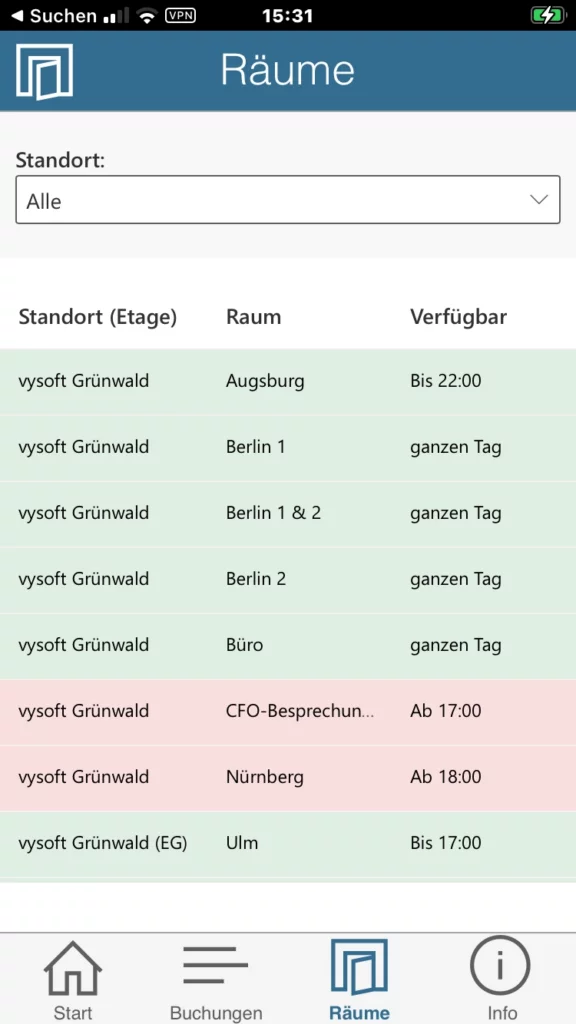
Room Overview
